


- Featured
B2B Edition
Advanced B2B features for enterprise plans.Catalyst
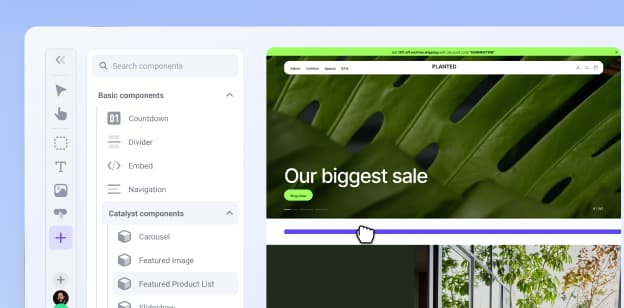
NewCreate stunning, high-performing storefronts that captivate and convert.Feedonomics
Omnichannel feed and data transformation.Multi-Storefront
Manage multiple unique stores from one account.International
Grow your brand across the globe.
- Launch Services
Overview
Chart your path to success with specialised services.Implementation Project Management
Experts to ensure you launch on time and under budget.Solution Architecture
Seasoned advisors to help you best design your store.Data Migration & Optimisation
Expertise on a clean and clear path to migrating your data.Enterprise Launch Package
Personal training on how to set up and launch your BigCommerce Store.
Professional Services Blog Series
Get to know our teams and how they support your success in this Q&A series.

The Global B2B Buyer Behavior Report
This in-depth report provides actionable strategies to help you sell more online.
Explore the
BigCommerce platform
Get a demo of our platform to see if we’re the right fit for your business.
Not ready for a demo? Start a free trial
Backordering Now in Beta for All BigCommerce Merchants

Written by
Ani Shringarpure03/04/2026

Backordering Now in Beta for All BigCommerce Merchants
Get The Print Version
Tired of scrolling? Download a PDF version for easier offline reading and sharing with coworkers.
A link to download the PDF will arrive in your inbox shortly.
Key highlights:
Backorders allows merchants to continue selling products after on-hand inventory reaches zero.
A new “Available to Sell (ATS)” metric replaces “Current Stock” in key workflows.
Merchants can define a backorder limit and track units sold beyond inventory.
Control panel and API updates provide visibility and management of backordered units.
Beta focuses on foundational inventory logic, with shopper-facing features coming later.
We are introducing the first phase of Backorders, a native capability that gives merchants and developers control to accept orders even when items are out of stock.
Backorders allows businesses to continue capturing demand after inventory reaches zero, with predictable controls built directly into the platform.
This beta release focuses on core functionality: inventory calculations, control panel workflows, and APIs that make backorders manageable at scale.
What is available in Backorders Beta?
With Backorders enabled, you can keep products purchasable beyond on-hand inventory using two key concepts:
1. Backorder limit: the number of units you allow customers to purchase after inventory reaches zero 2. Qty Backordered: the number of units sold beyond available inventory
Together, these feed a new sellable value called Available to Sell (ATS), which becomes the primary inventory value used across the platform and replaces “Current Stock” in key areas.

What’s changing in the control panel?
To support Backorders, you’ll see inventory UI updates across catalog workflows:
Renaming “Current Stock” to “Available to Sell” in product listing and product inventory views
Inventory management enhancements that add visibility and editing for:
Backorder Limit
Qty Backordered
Available to Sell (as a distinct column, including in the Edit Inventory worksheet)
Updates to inventory import/export fields and headers (including renaming “Current Stock” to “On Hand” and adding Backorder fields)
Platform and API updates
The Backorders Beta includes foundational platform updates so partners and custom integrations can stay in sync:
Inventory REST API adds Backorder Limit and Qty Backordered to requests and responses, and includes an endpoint to retrieve products with qty_backordered > 0
Inventory webhooks include updates and a new webhook for Backorder Limit Reached
Storefront GraphQL continues to use inventory-aware fields such as
isInStockandavailableToSell
Eligibility requirements for Backorders
Backorders requires inventory tracking and specific storefront settings to enforce limits correctly. In this phase, merchants are eligible when the following settings are configured:
Global inventory settings.
When a product is out of stock: Don’t do anything
When an option is out of stock: Don’t do anything
Update stock levels: When an order is placed
Stock level display: Don’t show stock levels
Product inventory settings.
Track Inventory is enabled (product-level or variant-level)
Product purchasability settings.
“This product can be purchased in my online store” is selected
The final word
This release unlocks a key use case for merchants with strong supply-chain sourcing: the ability to let customers order freely - even when on-hand stock hits zero - without exposing the behind-the-scenes sausage-making process. The merchant knows stock will be replenished in time to ship the order together. The customer simply checks out with merchandise they want to buy.
As with any iterative release, the goal is to get this capability into merchants' hands quickly - supporting confident selling while gathering real-world feedback that shapes what comes next.
The next phase, currently in development, brings the experience full circle: shopper-facing messaging and storefront transparency for items that are ready to ship versus backordered. Because confident selling and a confident buying experience go hand in hand.
You can submit feedback on the Backorders beta three weeks after enabling it. Check your control panel notifications for the beta feedback form. To ask questions or report issues, contact support.
Enable the Backorders beta today and start configuring your catalog to support purchases without on-hand stock. See the Backorders article in the Help Center for more information.
⏰ Isn't about time that you evaluated your ecommerce platform?
Request a demo to see how the BigCommerce platform is different.