





Written by
John Shieldsmith22/04/2026

Finding Scalable Success with Ecommerce Integrations
Get The Print Version
Tired of scrolling? Download a PDF version for easier offline reading and sharing with coworkers.
A link to download the PDF will arrive in your inbox shortly.
Key highlights:
Ecommerce integrations make it possible to expand platform functionality by connecting one system to another.
Integrations can enable your business to stay competitive, future-proof your tech stack, automate workflows and drive efficiency, and scale.
Ecommerce integrations typically work via API, middleware or iPaaS, or with custom-built integrations made by developers.
These integrations come in various types, including inventory management systems, content platforms, order management systems, and others that map to established ecommerce tool types.
Legacy systems, data inconsistencies, and security and maintenance challenges are some of the most common ecommerce integration challenges.
When deciding which ecommerce integrations you need, it’s important to take a strategic approach, consider business needs, tech capabilities, and ask vendors the right questions.
Your ecommerce platform was perfect for your online store when you picked it. Now? You’re struggling to stay competitive. Before you go through the heartache of an entire replatforming effort, have you considered ecommerce integrations?
With the right ecommerce integrations, you can streamline workflows, power automation, and take your ecommerce store to all new heights. But, let’s not get ahead of ourselves.
First, you should know what an ecommerce integration is, why they matter, what they look like in the wild, and finally, how you can get started with them.
What are ecommerce integrations?
An ecommerce integration is any tool or platform that connects with the systems powering your ecommerce platform.
Think of your ecommerce platform as a barrel filled with your secret sauce. Next to this barrel you have a marketing stage full of people spinning signs. Anytime you want to know how your marketing is performing, you have to walk over to that stage and ask (while hoping you don’t catch a spinning sign to the chin).
An ecommerce integration is like a cup on a string, connecting you and your barrel of secret sauce to that stage. Anytime you need a marketing update, you can get it right there, from your proprietary barrel.
For a more topical and less absurd example, consider this: 93% of ecommerce businesses agree that AI is important to the future of their business.
Without an ecommerce integration in place, using any AI-powered tools, whether they’re for inventory management or customer support and so on, requires logging in and using that tool, and then copying any of that data to your dashboard or tracking sheet.
A full integration allows those AI-powered tools to seamlessly connect with your ecommerce platform, allowing data to pull into your primary dashboard, automations to get the data they need, and your platform and tools to help you, not hinder you.
Why ecommerce integrations matter
The ability to pull information from other tools or platforms into your primary ecommerce platform comes with more than the obvious benefit of grand oversight.
While being able to view your various metrics and bits of data in one spot is great, ecommerce integrations enable a lot more than that.
Operational efficiency.
Hopping from system to system isn’t efficient when the alternative is having a unified platform. Ecommerce integrations make this a reality.
A modern ecommerce tech stack can include numerous tools and platforms, such as:
Email marketing tools, like Mailchimp or Hubspot
Social media management platforms, like Hootsuite
Payment processing or payment gateway providers, like PayPal or Stripe
Each of the above platform types collects specific data and metrics. By integrating the above platforms with your ecommerce platform, you’re able to cut down on time wasted with manual access, and strive toward better operational efficiency in general.
Automated workflows.
With today’s platforms and tools, you can automate nearly every workflow of your business. But, only if automation can reach your data.
Remember all those tools and platforms in your tech stack we just went over? Ecommerce integrations not only make that data visible in your dashboard, but also make it visible to the right tools for automation.
For example, most marketing tools can automate abandoned cart emails more effectively when paired with your CRM.
Why?
Because those same marketing tools can now pull customer behaviour, personalisation details, communication preferences, product history, and more from your CRM and include it into emails.
You can similarly automate further workflows with the above approach, especially as tech capabilities improve. By leveraging ecommerce integrations now, you’re setting yourself up for more and more automation down the road.
Reduced manual errors.
As a business owner, customer satisfaction is often on your mind. Getting things right across the entire customer journey is paramount to boosting satisfaction.
Yet, mistakes can crop up anywhere, poking holes in your lofty dreams of happy customers.
Comprehensive ecommerce integrations can reduce errors across workflows, especially where manual data entry is concerned, giving you smoother operations and customers a better experience.
For example, 62% of shoppers are more concerned with accurate delivery dates than they are the shipping speed itself.
A small human error, like fudging a customer address during manual data entry, can throw the entire shipping process off.
Just as an integration can power better cart abandonment emails, the right data integration between your order management system (OMS) and online store can drive inventory accuracy, enable real-time shipping estimates during the checkout process on your storefront, and more.
The end result?
More accurate shipping, smoother order processing for you and your team, and a better online shopping experience for customers.
Real-time visibility across systems.
A shocking 58% of business leaders say they’re using inaccurate data when making decisions.
When you’re having to juggle multiple platforms or sources of data, the chances of that data being inaccurate when it reaches its final destination only goes up.
Ecommerce integrations across these systems can provide real-time visibility and reduce the chances you’re using inaccurate or outdated data:
Customer relationship management (CRM): General customer information, purchase/order history, customer interactions or engagement, and more
Order management system (OMS): Inventory for your online store and any physical storefronts, shipping information and progress, inventory demand forecasting, shipment delays, and more
Content management system (CMS): Syncs front-end content and product pages with backend data, like inventory, order history, and product descriptions
Social media management platform: Enables sharing customer behaviour and preferences with social media, powering better personalisation, and ability to buy products from social posts
The above is only a sampling, as ecommerce integration is possible with virtually all systems your business uses now, or will use in the future.
Improved customer experience.
Customer expectations shift with the market and available tech.
Amazon normalised two-day shipping, now 74% of people expect it as an offering. Personalisation has only gotten better over time, now 73% expect personalisation to improve alongside tech.
And so on and so on.
Without integrations, keeping up with customer expectations and the pace of technology means logging into one platform after another. An ever-expanding tool belt that’s only going to get harder to use.
When you have an ecommerce platform that supports a wide variety of integrations, you can:
Streamline workflows and lower friction for customers
Deliver marketing campaigns that meet modern personalisation expectations
Utilise post-purchase data to improve the experience for future shoppers
Leverage an omnichannel approach, increasing your brand’s footprint while giving customers a consistent experience across channels and marketplaces
As an online business, you’re expected to adapt on the fly in ways brick-and-mortar businesses aren’t. Integrations like those mentioned above can give you the little boost you need to keep up.
Scalability across channels and markets.
Embracing an omnichannel and multi-channel approach requires consistent, reliable scalability. If various ecommerce solutions, like marketing platforms and CRM, are the tools enabling further functionality and expansion, then ecommerce integrations are the unifying glue.
For example, say you’re launching your products on additional marketplaces, like Amazon. A product information management (PIM) solution can unify your marketplace presence under one dashboard.
But, what about when you need to update the description or pricing for a product?
With a PIM ecommerce integration, like those offered by BigCommerce, you can update product descriptions or pricing one time, and then roll it out across your various sales channels and marketplaces all at once.
The same is true for other types of solutions — CMS integrations allow you to update templates across platforms, gateway integrations enable acceptance of other payment methods at scale, and so on.
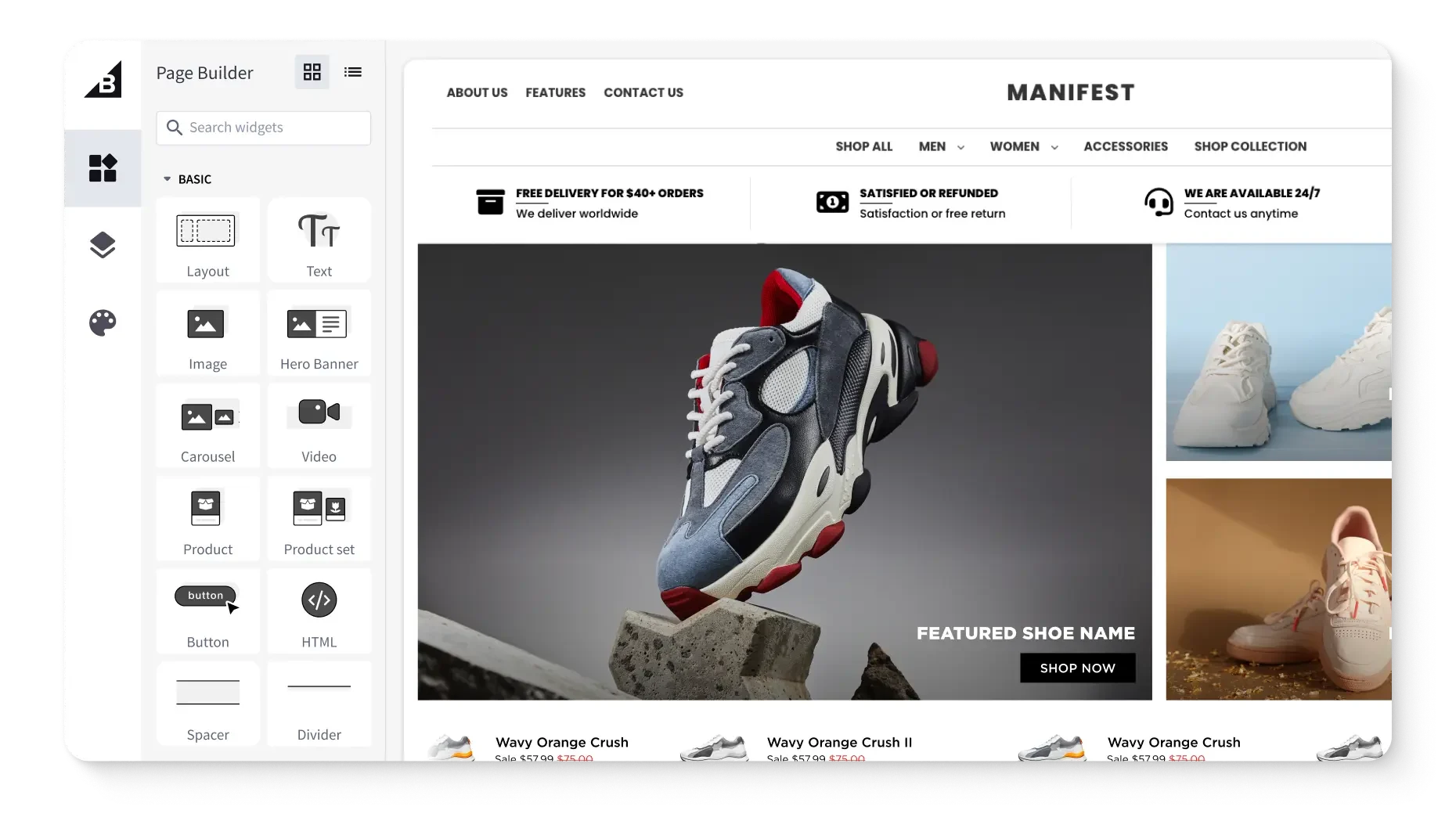
Get a free 15-day trial of BigCommerce.
No credit cards. No commitment. Explore at your own pace.
How ecommerce integrations work
Ecommerce integrations may seem like magic, pulling ecommerce data from various sources and funnelling it into your ecommerce site or vice versa.
While magical on the surface, integrations don’t streamline operations with the supernatural. Rather, there are a few ways they work.
APIs.
An application programming interface (API) is one of the more common ways to power an integration.
APIs are essentially a block rule-based code that interfaces between one platform and another. In basic terms, this looks like:
Your ecommerce platform requests data from your OMS
Your OMS securely authenticates then processes the request
Your OMS sends a response to your ecommerce platform, which receives the data and updates accordingly
Some legacy systems will use other methods, like webhooks or electronic data interchange (EDI), but API is increasingly common, largely thanks to its faster speeds and improved security.
Psst. Be sure to check out our in-depth look at ecommerce APIs and how they can improve your operations.
Middleware/iPaaS.
Middleware, like an integration platform as a service (iPaaS), is another route for ecommerce integrations, providing a unified space for managing integrations.
If you think of APIs as individual building blocks that add functionality, each capable of plugging into your workflows, thenan iPaaS is like a bucket for containing all those blocks.
Some ecommerce platforms support both approaches, while others support one or the other.
(For instance, BigCommerce is API-first but also has full iPaaS support.) In either event, an iPaaS is more suitable for certain use cases:
Organisations with numerous integrations needs
Ecommerce websites with multiple channels
Online retailers with less technical prowess/in-house support
Ecommerce businesses with both SaaS and legacy systems
While an API-first approach can offer more speed and customisation, an iPaaS makes integrations more accessible and manageable in general. Most iPaaS solutions also have the ability to expand as needed, putting scalability on the table.
Native integrations.
Some ecommerce platforms, like BigCommerce or Shopify, come with integrations right out of the box, otherwise known as native integrations. These are built-in and offer a seamless way to connect your online store with another tool.
For example, BigCommerce has more than 1,200 native integrations, including:
Salesforce Marketing Cloud integration that enables easy product description and order syncing, and beyond
Privy integration that makes it possible to drive online sales with powerful popups, SMS and email marketing, and personalised efforts across the board
ChannelAdvisor integration with access to more than 100 retail and marketplace networks, allowing you to optimise across multiple channels
While both APIs and iPaaS make it possible to use external integrations, native integrations offer a lower friction way to quickly expand your ecommerce capabilities, and with the same support of your current provider.
Custom integrations.
When native integrations aren’t meeting your needs, there are always custom integrations.
Custom ecommerce integrations are built by developers, usually using the same type of API approach as outlined before.
For smaller businesses, native integrations are usually enough. If you’re running a more complex enterprise, custom integrations might arise.
Internal custom integrations can do things like sync your proprietary systems with a third-party tool, apply custom rules to your workflows, and so on.
Customer-facing custom integrations are those that impact the customer experience.
For example, say you want to offer your customers the option to subscribe to your product at a certain interval but your current payment gateway doesn’t support this.
Either your own dev team or an agency could build a custom integration that allows a customer to set a recurring payment on their credit card, without having to leave your existing checkout experience.
Types of ecommerce integrations
There are as many integrations as there are ecommerce tools. In other words, there are a lot.
ERP integrations.
Enterprise resource planning (ERP) systems act as a single source of truth for all things backend, housing: logistics, orders, finance, HR policies, and customer data.
An ERP should drive operational efficiency, giving you and your team a way to quickly dive into operational elements of your business. This type of integration makes efficiency a reality by connecting your ecommerce store with your backend data to deliver:
Shipping label production and order fulfilment
Real-time shipping updates and inventory levels
Automatic updates to sales information, streamlining taxes
Custom-pricing capabilities for customer portals
For small operations and those just starting out, an ERP integration may not be the most pressing matter, especially if it’s not within your current resources. But, setting an ERP integration up as early as possible enables scalability and growth for the long haul.
Examples of ERP integrations.
Acumatica: A cloud-based ERP ideal for small-to-medium businesses, offering streamlined business operations for unlimited users
Oracle Netsuite: A powerful all-in-one ERP for mid-sized businesses, with support for global business
Brightpearl: A retail-oriented solution that enables quick access to straightforward CRM and inventory management
Odoo: An open-source ERP with on-site installation, offering in-depth customisations and more control over backend functions than most SaaS ERPs
SAP Business One: An on-site ERP with extensive compliance support, powerful reporting, and more, scaled to fit large enterprises
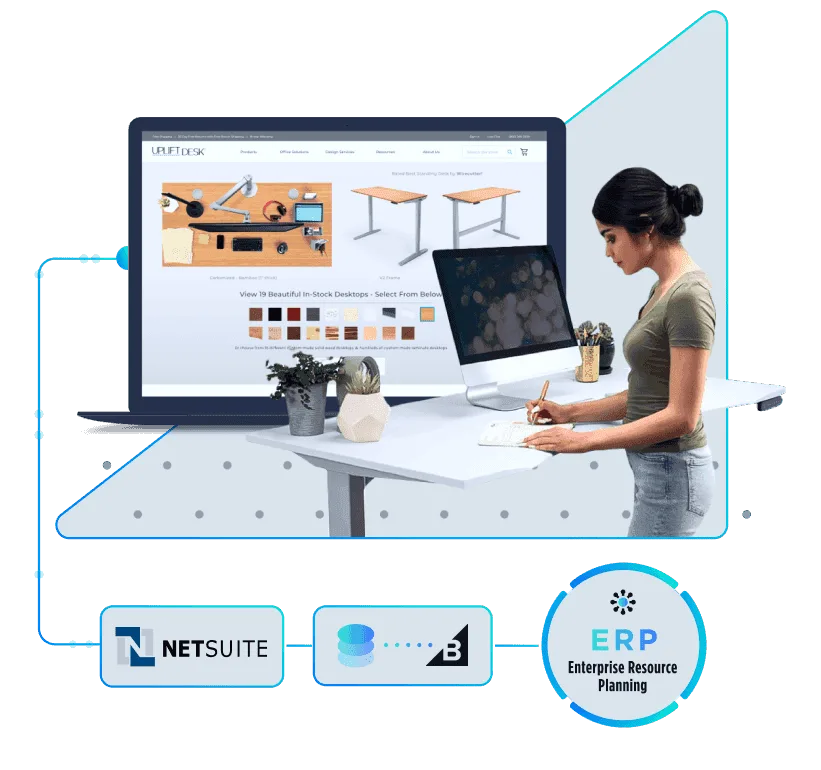
Your ERP. Our ecommerce engine.
Bring your data together. BigCommerce integrates with major ERPs to streamline operations.
CRM integrations.
A CRM is your source for all things customer, from general data to behaviours to marketing preferences.
With a CRM integration, you can use all this powerful data to the fullest with:
More personalised, powerful marketing, pulled from customer data
Improved customer analytics and insights for sales teams
Conversion rate tracking throughout your efforts
Reduced silos between teams and a unified customer image
Customer data, segmentation, and personalisation
Few things are more important than understanding your customers and meeting them where they’re at. A CRM integration can help you do just that.
Examples of CRM integrations.
HubSpot: A robust CRM with chatbot support, marketing automation, and more
Salesforce: Enterprise-level CRM support with AI-powered autonomous agents, customisable customer forms, and various collaborative tools
Zoho: Support for complex workflows, customisable customer journeys, data-rich reporting, and vast non-CRM tools
Inventory and order management integrations.
Knowing your inventory levels and being able to efficiently manage orders are crucial to giving customers a smooth checkout experience and preventing stocking issues.
Inventory and order management integrations allow your store to speak with your logistics centres, powering:
Real-time stock updates as products sell, curbing overselling
More accurate tracking information and shipping analytics
Automatic triggering of fulfilment workflows
Better operational visibility across any number of channels and marketplaces
Improved inventory forecasting, making it possible to better utilise stock space
An efficient checkout process can get customers across the finish line, but a proper inventory system is key if you want to deliver on what you promised them. The above integration functionality can greatly simplify that process.
Examples of inventory and order management integrations.
Cin7: Comprehensive inventory management that includes real-time inventory, bar-code powered tracking, and POS syncing
Ordoro: All-in-one shipping support with centralised order management, multi-carrier shipping support, real-time inventory, and more
Katana Cloud Inventory: Real-time inventory management features tailored to fit manufacturing businesses
Order Desk: Comprehensive order management, automated fulfilment, print-on-demand integrations, and DTC-tailored functionality
Shipping and fulfilment integrations.
Shipping and fulfilment goes hand-in-hand with inventory and order management.
(Note: In many cases, some tools will handle functionality mentioned above and shipping.)
With the right shipping and fulfilment integrations, you can benefit from:
Automatic customer shipping updates via email or SMS
Real-time shipping rate estimations during the checkout process
Automated label generation and order fulfillment
Real-time shipping forecasts based on local weather and events
Improved shipping logistics information and analytics
When shipping a product, some things are out of your hand. You can’t control the weather or global prices. But, with the above integration functionality, you can navigate it with informed confidence.
Examples of shipping and fulfilment integrations.
ShipStation: Support for UPS, USPS, Canada Post, and more, paired with powerful shipping automation
ShipperHQ: More than 50 carrier integrations, real-time delivery updates, customisable shipping logic, and beyond
Easyship: International order support, dynamic rates at checkout, automated paperwork workflows, and a free plan to boot
Payment integrations.
Not only do you need to deliver a smooth payment process — you also have to ensure payments are safe.
Payment integrations operate discretely in the background, keeping customer data safe and more with:
Compliant security during payment processing
Support for more payment methods, from credit cards to Paypal and so on
More currencies accepted and access to international markets
Subscriptions or recurring purchases
Advanced fraud detection
Automated record keeping for taxes, and tax calculations
Payment integrations aren’t as exciting for customers as others on this list, but when done properly, they shouldn’t be noticed at all.
Customers benefit from a quicker payment process, you benefit by providing a safe and secure way for them to buy from you.
Examples of payment integrations.
Stripe: Seamless autofill via one-click checkout, support for more than 135 currencies, and fraud protection make Stripe ideal for a wide variety of businesses
Signifyd: A full-service cloud platform with extensive fraud and chargeback protection, back office automation, and more services that cater to high-volume brands
Adyen: An end-to-end platform that prioritises risk management while enabling extensive payment processing, along with AI-powered fraud prevention tools
Marketing and automation integrations.
There are numerous ecommerce marketing tools out there, capable of helping with everything from SEO to content personalisation to A/B testing and so on.
The right integrations can streamline marketing, with in-depth insights, automations, and numerous additional features like:
Automated personalised cart abandonment emails
Personalised SMS and email campaigns
Automated product recommendations based on customer orders and behaviour
AI-powered dynamic content based on customer data
In-depth marketing analytics, heatmaps, and tracking
Marketing is an ongoing effort, not a one-and-done practise. The right integrations can automate a lot of the busywork, freeing you up to focus resources where they’ll be most effective.
Examples of marketing and automation integrations.
Klaviyo: This customer data and marketing automation platform enables personalisation across marketing assets and pages, easier management of SMS and email campaigns, and more
Activepieces: A drag-and-drop automation builder allows for streamlining marketing workflows, internal operations, and data analysis
Mailchimp: Enable extensive email campaign control, with personalisation, templates for quick building, abandoned cart reminders, and beyond
Marsello: Comprehensive omnichannel marketing tools and loyalty programme support make it easier to secure customers and keep them around
Marketplace and channel integrations.
Even if you’re just starting your ecommerce business, there will come a time when you’ll want to branch out into other marketplaces, like Amazon, eBay, and even within social media.
Marketplace and channel integrations make it easier to maintain your presence, no matter how much you spread out, helping you to:
Sync product information across your store and additional marketplaces
Automatically import order data across marketplaces
Sync inventory levels across stores, preventing overselling
While it can feel intimidating to branch out into other marketplaces, it also allows you to reach a wider audience and grow your business in new and exciting directions.
And with the right integrations, it doesn’t have to be nearly as much busywork as you’d imagine.
Examples of marketplace and channel integrations.
Emplifi: Deliver user-generated content across channels, power social commerce, and even live video shopping
Feedonomics: Easily manage your products across multiple marketplaces and hundreds of channels with AI-powered category mapping, automated error resolution, and countless other features
ChannelEngine: A straightforward integration for connecting with hundreds of online marketplaces, selling across social channels, and enabling the use of numerous AI tools
PIM (product information management) integrations.
As your product catalogue grows, so does the number of product listings you have to manage (mo products, mo problems). A PIM solution can make this a thing of the past.
With a PIM integration, no catalogue is too large or product too complex when faced with:
Product data consistency across channels
Automatic updates to descriptions on marketplaces and across channels
Faster time-to-market when launching a new product on various marketplaces
An always up-to-date single source product of truth for sales and marketers alike
Your focus should be on innovation and delivering a great customer experience, not stressing over catalogue management. With a PIM integration, you can make it so.
Examples of PIM integrations.
Akeneo: Manage PIM with automatic data mapping and updates, flexible product categories, and support for multiple product versions
Syndigo: PIM meets master data management, allowing content syndication across numerous product channels with agentic AI readiness for listings
JasperX: Support for custom data connectors enables diverse syncing across a variety of platforms, while AI assistance can help with troubleshooting issues
Solving common ecommerce integrations challenges
Ecommerce integrations exist to make life easier as a business owner, but that doesn’t mean they’re not without challenges — especially where implementation is concerned.
Fret not, these common integration challenges aren’t without solutions.
Legacy systems.
Depending on the age of your business, you could be running numerous legacy systems: inventory management systems, ordering platforms, and in-house coded abominations that would make Frankenstein blush.
Because legacy systems lack proper integration support (otherwise they wouldn’t be “legacy”), you can’t just plug and play and make them work with new tools. You’re either stuck copying data from these systems back and forth, or going through a painful replatforming process.
Or, maybe there’s a better way.
The solution to legacy systems.
Where there’s a will there’s a way, and where there are legacy systems there are APIs and middleware.
Middleware/iPaaS and APIs can both help you navigate legacy solutions, but, which one is the best fit for you depends on a few things.
Middleware/iPaaS:
Great for handling complex or custom workflows, especially at an enterprise scale
Can serve as a transition layer between conflicting data types
Capable of managing large datasets and related tasks where time isn’t a factor
If built-in API support isn’t available, can serve as a substitute in some situations
APIs:
Capable of managing real-time data transfers and time-sensitive tasks
Provides a 1:1 connection between one system’s data and another’s
Ideal for customer-facing tasks requiring data from another platform
Faster to stand up than a full-blown middleware or iPaaS when only one integration is necessary
If native API isn’t offered, custom-built solutions are often on the table
Data inconsistencies.
If your ecommerce business is older and established, you’ve likely had legacy systems that used various terms for data, and later additions that used another. Or maybe, you shifted nomenclature down the line and started calling one category of products something else entirely.
Regardless of the source, data inconsistencies can make it difficult for integrated tools to function.
For example, your new PIM won’t be able to organise product data correctly if you have “Material” set as a label in your ecommerce platform, and “Fabric” in your PIM.
The solution to data inconsistencies.
Cleaning up your data is a lot like cleaning up a messy room: it only works if you have a plan. Start by:
Creating a single source of truth: Your ecommerce platform is the main hub of your online presence. Make it your single source of truth, ensuring data in it is up-to-date, uniform, and clean
Choosing consistent labels: Use your ecommerce platform for guidance, looking at which labels it supports or prefers (like “Material” to describe a product). Then, use those same labels in your other tools
Establishing formatting guidelines: Create a reference doc for yourself and employees that outlines exactly how to format each piece of data, and what data goes into which category. For instance, “Order” data could include “Order Number, SKU, Price, Customer”
Data labelling and general data hygiene is a large task that takes time. Some tools will offer automation that can assist, so don’t be afraid to use it. But, always, always ensure there’s a human-in-the-loop to audit this data afterward.
Integration complexity.
Legacy systems, complex workflows, and larger datasets can all lead to complex integrations. Some integrations can even have APIs that don’t get along well, resulting in clashing workflows, loss of functionality, and duplicate data.
Any of this complexity can turn into a headache, especially if you don’t have extensive technical resources available in-house.
The solution to integration complexity.
There are a couple approaches you can take when navigating complex integrations, each requiring different levels of lift and coming with its own pros and cons.
Leverage APIs.
Ideally, ecommerce tools offer APIs as an integration route. This modular approach can offer a clean, 1:1 way to add functionality. But, some APIs may conflict with each other, ruling this out.
Utilise iPaaS/integration layers.
In many cases, an iPaaS or similar integration layer can be a catch-all, housing your various integrations. This can take longer to stand up than an API however, and come with various costs.
An iPaaS won’t always be a perfect substitute for customer-facing tools, either, requiring a custom API (if a native API isn’t offered).
Cost and maintenance.
With every new tool you integrate, there’s always a risk of cost and potential maintenance.
If you’re already paying for a tool and it offers an integration, you most likely won’t have any additional fees (assuming you don’t need to pay for a developer-built custom integration).
Similarly, maintenance is likely of little concern if it’s an integration provided by the maker of the tool, as they’ll likely handle maintenance.
If the provider doesn’t offer an integration, you’ll have to go the custom API or iPaaS route, which can result in developer costs or subscription fees. On top of this, updates to your ecommerce platform, compliance changes, or tool updates can all require maintenance.
The solution to cost and maintenance.
It sounds simple, but budgeting ahead for potential costs can be the best line of defence. If you’re already using a tool and looking to integrate, research if they have any licencing or subscription fees and budget for it.
If the provider doesn’t have a native integration, you can either budget for in-house or contract developer work to build one, or begin hunting for a similar tool that does offer an integration.
Regarding maintenance, develop a plan now, not later, and include:
Protocols for handling any tool/integration-related errors or outages
An audit schedule that entails reviewing data labels and integration functionality
A chain of command with stakeholders for relevant integrations and errors
Lastly, choosing an ecommerce platform that handles store-related maintenance and security updates can take a load off your plate. While you’ll still be responsible for handling integration updates, you can rest easy knowing your ecommerce platform isn’t adding risks into the mix.
Security concerns.
As an ecommerce business, you have a responsibility to protect customer data and payment info. You also have numerous security compliance standards to meet, especially if you’re operating in international markets.
When you integrate a new tool into your business, you’re furthering your risk profile. But, you also can’t just go without integrations, otherwise you lose out on efficiency and delivering a better customer experience. So, what gives?
The solution to security concerns.
The average data breach costs organisations roughly $4.4 million, along with an immeasurable hit to trust in your business.
You can’t ever make your ecommerce business completely untouchable, but you can mitigate risks and avoid becoming a part of a statistic. Here’s how you can:
Stay current with PCI compliance, as it’s both required for online businesses taking credit card payments, and acts as a barrier against many types of threats
Ensure payments are encrypted and that payment gateways are secure
Incorporate multi-factor authentication for internal access, reducing the risk of unauthorised site access
Vet ecommerce tools and check whether they’re current with security standards and have a good track record
Perform regular cybersecurity audits and monitor web traffic, looking for any suspicious activity
Finally, make sure you have a plan of action in place for if and when a security event does occur. Just as a helmet won’t keep you safe from every crash, a coordinated plan can still cushion the blow and protect you and your customers from the absolute worst.
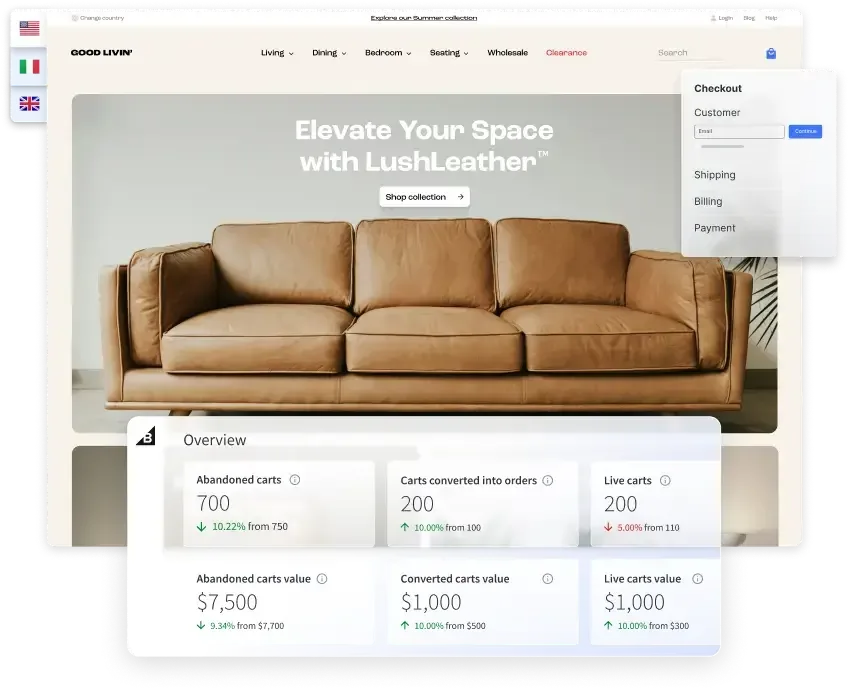
⏰ Isn't about time that you evaluated your ecommerce platform?
Request a demo to see how the BigCommerce platform is different.
How to choose the right ecommerce integrations
There’s a lot that goes into finding the right ecommerce integrations, well beyond a simple, “what functionality do we need?”
First, there are numerous criteria to keep in mind when evaluating vendors. Then, once you have an idea of what you’re looking for, it’s time to interview prospective vendors.
Key evaluation criteria:
Business need: First and foremost, which integration does your business need the most right now? If it’s not a must and your resources are limited, move it down the priority list.
Compatibility with existing tech stack: Scrutinise every potential tool and integration for compatibility. Is there a native integration offered that functions with your ecommerce platform and other tools? Or will it require extensive custom developer work?
Scalability for growth: Does the integration enable scalability, both with the users it supports internally and the bulk amount of data you’ll amass over time? Does it support omnichannel efforts and other marketplaces?
Real-time vs batch syncing: Check whether an integration syncs in real-time or at set batch intervals. Real-time syncing is a must for most automations, especially if you’re wanting automated shipping labels, personalised marketing efforts, and so on.
API support: The modular approach of APIs makes them great for growth, as you can build and tailor functionality as needed. On top of this, APIs are ideal for real-time syncing. A lack of API support can be a dealbreaker for many integrations and limit aforementioned automation.
Total cost of ownership: Think beyond licencing or subscription fees. How extensive is the data migration? Will the integration entail extensive maintenance and the fees that come with it? Are there transaction or usage fees with the integration?
Ease of maintenance: Simply put, how easy is the integration to maintain? If it’s a native integration, this is often easier to maintain. If it’s custom, or entrenched in a complex workflow, maintenance can be far more resource intensive.
Questions to ask vendors:
What systems does it integrate with?
How is data synced?
What happens if the integration fails?
What prices are associated with scalability?
Does the vendor have experience with your ecommerce platform?
What is the vendor’s uptime record and agreement?
Do they have experience with organisations/workflows similar to yours?
The final word
Your ecommerce platform and tools should never hold you back, but empower you to expand your business and continue striving toward delivering the best customer experience possible.
Ecommerce integrations can make this a reality, with the best ones almost entirely unnoticeable, working in the background. With a strategic approach, you can find the right integrations for your business and platform, and fully realise your business vision.
As important as the right integrations are, so is having the right ecommerce platform. BigCommerce offers extensive out-of-the-box functionality, but embraces APIs and integrations, offering more than 1,200.
We’ve helped customers from countless industries navigate regulated spaces like the wine industry, migrate entirely from WooCommerce and find success with powerful data integrations, and beyond.
See how we can help you integrate into a more scalable, versatile vision of ecommerce. Sign up for a free demo today.
FAQs about ecommerce integrations
When implementing any ecommerce integration, it’s important to vet the vendor and their security track record, follow data and cybersecurity best practises, stay compliant with data standards, and practise audits.
Your organisation should also utilise SSL/TLS encryption, run a proper firewall, and monitor your network for any suspicious traffic, even when not faced with any new integrations.
A custom integration is one built by a developer to fulfil a specific need, whereas a pre-built integration is offered by the provider.
A custom integration will require more manual maintenance, whereas a pre-built integration can be easier to maintain, with the vendor sometimes handling updates. A pre-built integration is also more cost effective in most cases, and quicker to stand up than a custom one.
There are a number of factors to consider when picking an ecommerce integration, including: business need, integration compatibility with your tech stack, integration scalability, total cost of ownership, maintenance and security, and whether the integration syncs in real-time or batches.
You can determine the ROI of an ecommerce integration by comparing revenue gains from that integration against the total cost of ownership. To do this, you must pull data that pertains to the integration, getting as specific as possible.
For example, you can determine the ROI for a payment gateway integration by examining any increase in sales attributed to this (improved checkout rates, lower transaction fees, more payment methods accepted), subtracting the total cost of the integration, and then multiplying it by 100.

Find your favourite features.
Explore all of the capabilities of the BigCommerce platform.