- Start & Build

Product Overview
What you can do with BigCommerce.
Agentic Commerce
 AI-powered solutions for growth.
Design Your Store
Build your store with or without code.
Apps & Integrations
Over 1,200 apps to help you grow.
Migrate to BigCommerce
Switch from Shopify, Woocommerce, Salesforce, Magento, and more.
- Launch Services
Overview
Chart your path to success with specialised services.Implementation Project Management
Experts to ensure you launch on time and under budget.Solution Architecture
Seasoned advisors to help you best design your store.Data Migration & Optimisation
Expertise on a clean and clear path to migrating your data.Enterprise Launch Package
Personal training on how to set up and launch your BigCommerce Store.
Professional Services Blog Series
Get to know our teams and how they support your success in this Q&A series.

The Global B2B Buyer Behavior Report
This in-depth report provides actionable strategies to help you sell more online.
Manage tax classes programmatically with the new Tax Classes API

Create your store and start selling today.
Create your new website.
See if the BigCommerce platform is a good fit for your business.
No credit card required.

Written by
Brett Daniels25/04/2026
Key highlights
A new v3 endpoint gives developers and system integrators full batch control over tax class configuration — no control panel required.
Create, update, and delete up to 50 tax classes in a single API request — no manual control panel updates needed.
Designed for automation: ideal for multi-store management, ERP integrations, and headless deployments where tax configuration must be scripted at scale.
Works in concert with the Tax Rates & Zones API, giving you full programmatic control over the entire manual tax configuration stack.
What the Tax Classes API endpoint does
Tax classes determine how different types of products are taxed. Previously, creating and managing them required manual work in the BigCommerce control panel. The new Tax Classes API (POST /v3/tax/classes) changes that.
The endpoint supports three batch operations — create, update, and delete — all on the same /tax/classes path. Each operation accepts up to 50 items per request and returns structured JSON responses in BigCommerce's standard envelope format. Deletes are filter-based, using the id:in query parameter rather than a request body.
Why this matters
For merchants running complex catalogues — especially those with physical goods, digital products, and services selling across multiple jurisdictions — keeping tax classes in sync with product taxonomy has always been a friction point. Until now, there was no reliable way to script it.
This endpoint unlocks tax class management as part of a repeatable, version-controlled deployment workflow. Whether you're provisioning a new store, syncing from an ERP, or managing a fleet of storefronts, you can now include tax class setup in the same pipeline as the rest of your catalogue and configuration work.
Sample use cases
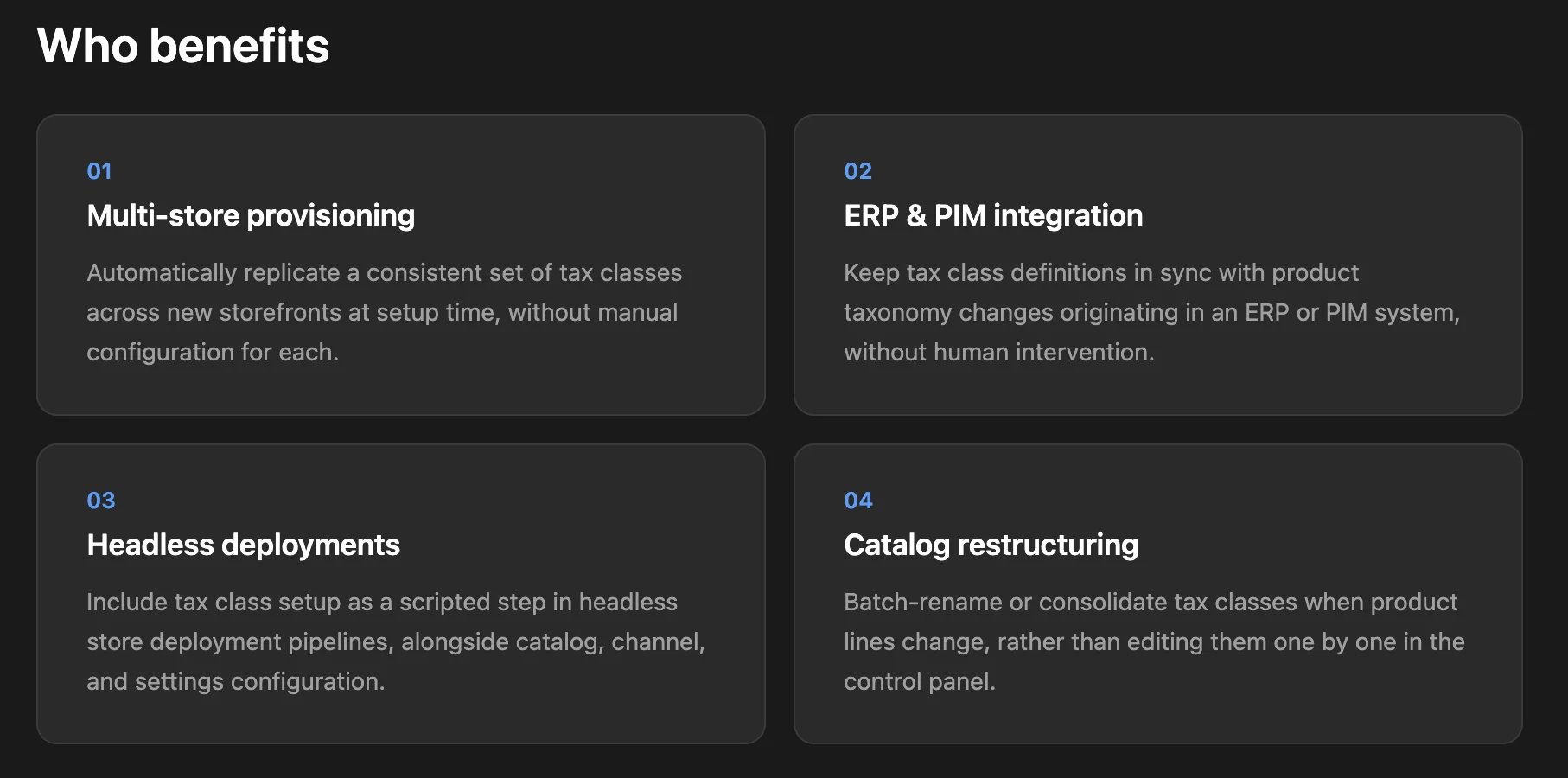
Multi-store provisioning — Automatically replicate a consistent set of tax classes across new storefronts at setup time, without manual configuration for each.
ERP & PIM integration — Keep tax class definitions in sync with product taxonomy changes originating in an ERP or PIM system, without human intervention.
Headless deployments — Include tax class setup as a scripted step in headless store deployment pipelines, alongside catalogue, channel, and settings configuration.
Catalogue restructuring — Batch-rename or consolidate tax classes when product lines change, rather than editing them one by one in the control panel.
How it works
The Tax Classes API doesn't operate in isolation. Tax classes sit at the foundation of BigCommerce's basic tax configuration model, and interact with several other API endpoints:
Tax Classes API → Tax Rates & Zones API — Tax rates include a
class_ratesentry for each tax class defined on the store. When you create a new tax class, the tax rate will be treated as a zero value (0% tax rate) until you need to add a corresponding entry to each of your existing tax rates.Tax Classes API → Catalogue Products API — Products are assigned to a tax class via the
tax_class_idfield. When you create new tax classes, you can assign products to them using the standard Catalogue Products API.Tax Classes API → Order Fees API — Fees may optionally be assigned to specific tax classes via the
tax_class_id field. In lieu of any explicit assignment, the store’s global fee tax class will be used.Tax Rates & Zones API → Tax Settings API — Tax zones (managed via the Tax Rates & Zones API) are referenced directly in Tax Settings, including the guest shopper tax zone and the store tax zone that describes pricing calculation outcomes.
Important: Deleting a tax class does not automatically update associated tax rates or product assignments. Before deleting, audit which products reference the class via the Catalogue Products API and which rates include it via the Tax Rates & Zones API, and update them accordingly.
Here's a minimal example of creating two tax classes in a single request:
POST /stores/{store_hash}/v3/tax/classes
X-Auth-Token: {access_token}
[
{ "name": "General Merchandise" },
{ "name": "Digital Goods" }
]
// Returns created tax class objects with id, name,
// created_at, and updated_at fields.
For public API accounts, the required OAuth scope is Information & Settings. For store users, the required store permission is Manage Tax. Full API reference documentation is available on the BigCommerce Developer Centre.
The final word
Tax class configuration is now fully programmable. Whether you're managing a single store or a fleet of them, tax class configuration can now be part of your automated deployment and integration workflows — consistent, repeatable, and version-controlled. Pair it with the Tax Rates & Zones API for end-to-end programmatic control over your manual tax setup.

There's a lot to love ❤️
Watch a demo to see the BigCommerce platform in action.