Start & Build


Launch Services
Overview
Chart your path to success with specialised services.Implementation Project Management
Experts to ensure you launch on time and under budget.Solution Architecture
Seasoned advisors to help you best design your store.Data Migration & Optimisation
Expertise on a clean and clear path to migrating your data.Enterprise Launch Package
Personal training on how to set up and launch your BigCommerce Store.

Professional Services Blog Series
Get to know our teams and how they support your success in this Q&A series.


Global commerce
Make global commerce feel like local commerce.
Sell in local languages and currencies, collect duties and taxes at checkout, and run every market through one platform.
Multiple storefronts
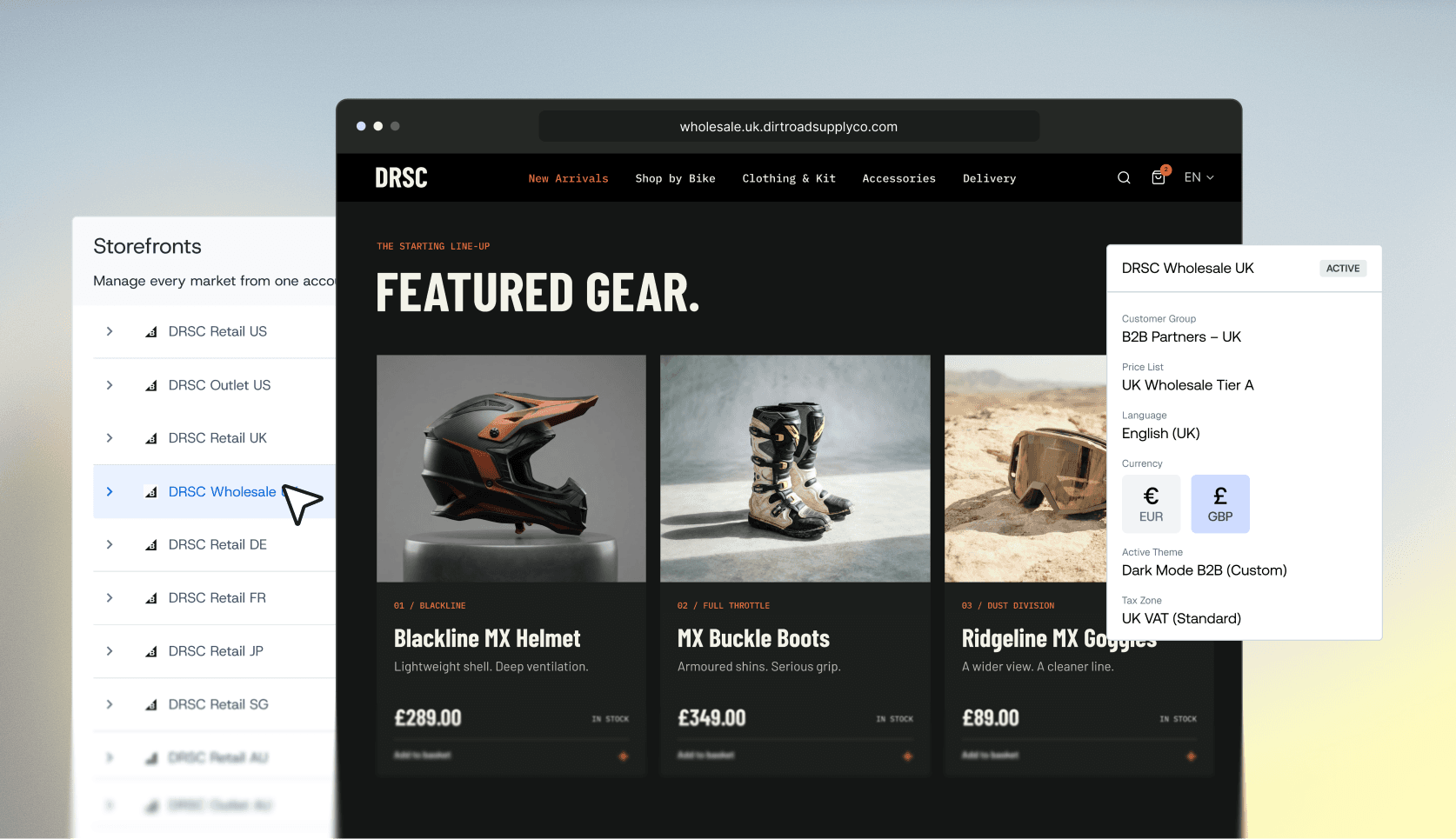
Add storefronts for distinct markets.
Multiple languages
Add more languages to one storefront.
B2B and B2C
Run both on a single platform.
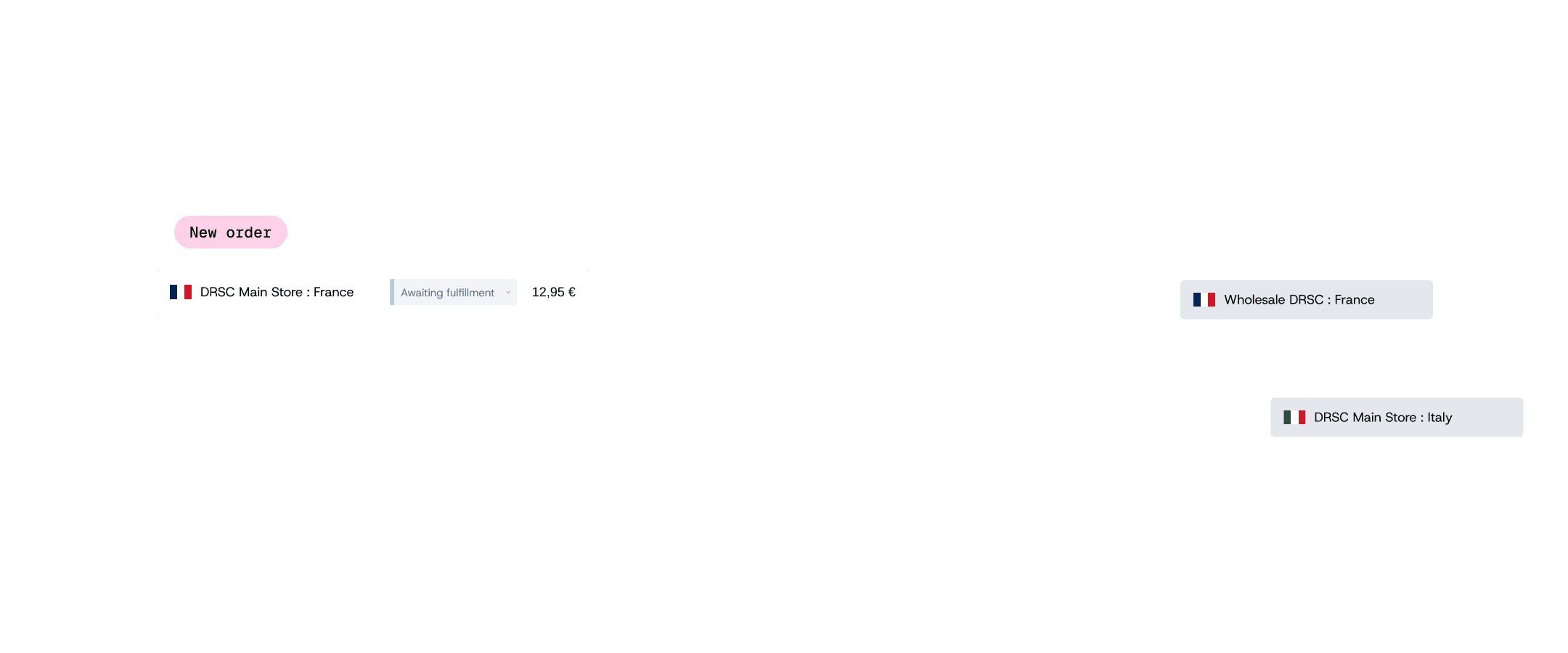



MULTI-STOREFRONT
Run multiple sites on one back end.
Create multiple storefronts with their own domains, themes, pricing, shipping, and product selections. No separate sync needed.

Consolidate international operations.
Manage products, orders, and customers across every storefront from one control panel, with no separate logins or syncing.

Price and ship for each market.
Use price lists to charge different prices per storefront or customer group, and set promotions and shipping per storefront.
“BigCommerce has helped us simplify how we work across markets and given our teams a more structured way to manage a complex global business.”
Austin Malcomb
VP of Global Marketing, Oase
See for yourself with a free trial.
Multi-language
Localise with a multi-language storefront.
Show customers the languages they prefer — up to five per storefront. Translate everything from catalogue to checkout.
Get found in local search.
Each language gets its own URL and sitemap automatically, so search engines can index and rank every locale.
Cut manual translation work.
Use AI workflows to translate catalogue content and storefront pages, with batch jobs for a whole site or new locale.
Global Checkout
Adapt checkout to your customers, wherever they are.

Simplified duties and taxes.
Merchant-of-record partners calculate duties and tax at checkout and remit them for you.

Local currency built in.
Show prices in 100+ currencies and accept payment through providers like Adyen, PayPal, and Stripe.

Stripe Adaptive Pricing.
Show prices in a shopper’s currency and exchange rates, with a 17.8% average lift in cross-border revenue.

Shipping for each market.
Set shipping zones, carrier quotes, and shipping methods for each zone and storefront.
Ask the people already doing it.
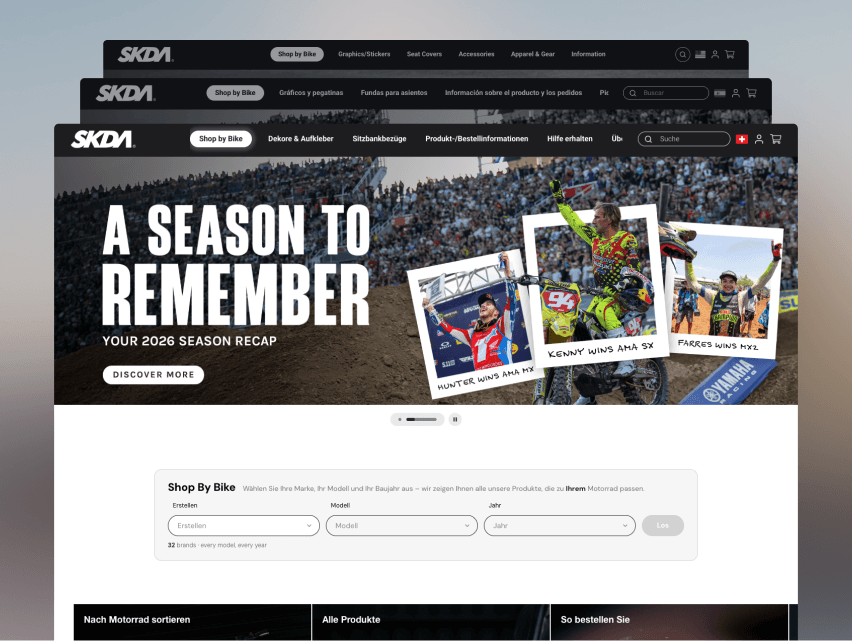
SKDA ramps revenue 27.5% while going international.


Frequently asked questions
A new market needs its own storefront when it requires a different domain, pricing, products, or brand presentation than the business already has—not when a storefront only requires a different language. A market that shares currency and catalogue with an existing audience usually only needs translation, not a separate storefront.
On BigCommerce, native multi-language allows for several languages to a single storefront. Multi-Storefront allows for fully separate storefronts, still built on the same back end, each with their own domain, products, and pricing. See Getting Started with Localisation on Multi-Storefronts for the full setup.
Shoppers are far more likely to complete a purchase when they see prices in their own currency and can pay with a method they already trust, rather than being limited to a single international card network. Currency mismatch and unfamiliar payment options are two of the most common reasons international shoppers abandon a cart.
BigCommerce supports 100+ currencies natively. Merchants using Stripe’s Optimised Checkout Suite on BigCommerce can also turn on Stripe Adaptive Pricing, which automatically detects a shopper’s currency, locks the exchange rate for 24 hours, and makes local payment methods available.
Internationalisation is the technical foundation that makes a product capable of operating in any market: currency handling, language infrastructure, URL structure. Translation converts the words on a page from one language to another. Localisation is the broadest: adapting pricing, promotions, measurements, and content to how a specific market actually shops, which can matter even when the language doesn’t change.
BigCommerce enables all three. Currencies, native multi-language, and automatic URL and sitemap generation are the internationalisation layer. Catalogue content, operational content, and storefront content are translatable. And Price Lists, alongside Multi-Storefront’s per-region content and promotions, handle localisation.
The number of languages a site needs is determined by what languages its shoppers actually speak, not by how many countries it sells into.
BigCommerce supports up to five languages per storefront, chosen from 19 languages with built-in checkout, system message, and email translation (see supported languages). Multi-Storefront’s per-region settings handle the pricing and content differences that exist even between markets that already share a language. Full setup details are in BigCommerce’s Localisation Settings documentation.
RTL language support typically involves two separate things: storing and displaying translated text correctly, and flipping the page’s actual layout, alignment, navigation order, and component mirroring, to read right-to-left. A platform can handle one without the other.
On BigCommerce, merchants can enter and store translated catalogue and storefront content in RTL languages like Arabic and Hebrew today. Full RTL layout isn’t supported out of the box, pages won’t flip direction automatically, so alignment, navigation, and mirrored components need theme-level customisation. This is a theme layout task: for an Arabic or Hebrew storefront, plan to scope a developer or agency for that theme work.
AI translation tools generate a first-pass translation of a page’s content, producing a draft in a fraction of the time a human translator would need. Most ecommerce teams still have someone review the output before it goes live, since tone and brand-specific terminology can get lost in a fully automated pass.
Catalogue content is translated per locale through the BigCommerce control panel, and storefront content is translated per locale through the Makeswift visual builder when editing the site design. Batch jobs translate an entire site or new locale at once. Request beta access through Commerce AI Labs.
There are generally three ways cross-border duties and taxes get handled: the shopper pays them on delivery, the merchant prepays through a carrier agreement, or a merchant-of-record service calculates and collects them automatically at checkout and takes on the legal responsibility for remitting them.
BigCommerce supports the third option through certified technology partners, such as Global-e, integrated directly into BigCommerce checkout as merchant of record.


