





Written by
John Shieldsmith27/05/2026
Facebook Advertising Guide
Get The Print Version
Tired of scrolling? Download a PDF version for easier offline reading and sharing with coworkers.
A link to download the PDF will arrive in your inbox shortly.
Key highlights:
Facebook advertising is a form of paid advertising that allows you to put your brand in front of Meta’s three-billion active users.
You can choose a number of objectives for a Facebook advertising campaign, from awareness to conversions to engagement and so on.
There are numerous types of Facebook ads, including image ads, carousel ads, and collection ads.
When advertising on Facebook, it’s critical to track your efforts using the Pixel or Conversions API, following key metrics.
There are several common Facebook advertising mistakes, including setting an unrealistic budget, overusing creatives for too long, and interfering with the learning phase.
As an ecommerce business, exposure is everything. Facebook is the top social media platform in the world, with more than three-billion monthly active users. With Facebook advertising, it could be your brand people are happening upon while doomscrolling into oblivion. Talk about exposure.
Facebook advertising isn’t just a great way to get in front of a massive audience, but also a case where ads work: Campaign lead conversion rates for Facebook ads average an impressive 7.72%.
Despite the audience provided by Facebook, you still need a strategic approach if you want to hit your business goals. Like all forms of digital marketing and the like, a little learning goes a long way.
Let’s take a look at what Facebook advertising is and why you should consider it, and then we’ll dig into tips, tools, and strategies for turning exposure into online sales.
What is Facebook advertising?
Facebook advertising is a paid marketing channel offered by Meta, allowing businesses to display targeted messaging on Facebook, Threads, Messenger, and the broader Meta Audience Network.
Facebook advertising works like other forms of advertising, letting businesses set an objective or goal, customie ad targeting, and lock in an advertising budget.
From there, they can leverage Facebook’s massive audience in hopes of gaining brand exposure and driving conversions that ultimately lead to online sales.
How Facebook advertising works.
Using Meta Ads Manager, businesses can manage Facebook advertising across all of Meta’s channels.
How?
Objective: Choose an objective for the ad, like exposure, leads, or sales.
Ad targeting: Choose who sees the ad by setting preferences around location, age, and interests. Or, use Meta AI to have it customised on the fly.
Ad type: Select an ad type, from image to video to carousel to Meta’s own Instant Experience.
Budget: You place a budget, either daily or for the duration of the campaign, opting to pay-per-click (PPC) or per 1,000 impressions (CPM).
Bids: Meta analyses which ad types should be displayed for each user, factoring in your parameters as well as relevance and budget.
It might sound like a lot of work, but keep in mind most of the nitty gritty work is happening on Meta’s end. You’re just there to handle the strategic side of things while checking whether ads hit your set performance goals.
Where Facebook ads appear.
It’s been a long time since Facebook was just Facebook. Today, Facebook ads appear on all of Meta’s properties:
Facebook
Instagram
Messenger
Threads
Audience Network
It can’t be understated how big the reach of Facebook ads is. Within the Audience Network alone, you could be reaching millions of users across thousands of affiliated apps.
The difference between organic posts and paid ads.
An organic post is any real social media post, made by a person or company page. This type of content appears right in a user’s feed alongside other content, including paid ads.
Paid ads, on the other hand, are targeted pieces of branded content that reach select audience members based on parameters set by the advertiser (that’s you).
Why advertise on Facebook?
Simply put: Facebook is the biggest social media platform around.
Audience reach alone isn’t the only thing Facebook advertising has going for it. There are several reasons to advertise with Facebook.
Massive audience reach.
Dominating with nearly a 68% share of the country’s monthly social media visits, Facebook is a social media giant.
On top of this, Instagram gets another 5% of the monthly U.S. social media share. Whether you’re showing up between Instagram Reels or inside someone’s Facebook feed, you can count on a massive audience reach with Facebook ads.
Advanced targeting capabilities.
Facebook has existed since 2004, giving people 22 years and counting to like different pages, declare hobbies, and amass a wealth of data for Meta.
With Facebook advertising targeting, you can leverage just about every bit of a user’s data with fields for:
Hobbies, pages liked, and general interests
Those who have interacted with your brand
Audiences who have similar interests or profiles to previous leads
Geographic area, both as a point of origin or point of travel interest
Lastly, Meta’s Advantage+ Audience utilises AI to suggest user types that are most likely to convert and help you reach your goal.
Variety of ad formats.
Facebook offers a variety of ads that go beyond your usual copy or image-based format. With Facebook advertising, you can run 12 different ad formats. (More on this later.)
Measurable ROI and attribution.
In 2025, Facebook ads averaged a conversion rate of 7.72%, with a cost-per-click of $1.92, and cost-per-lead of $27.66 across industries.
Your results may vary, but fortunately you can easily determine for yourself with Facebook’s attribution system and Meta Ads Manager, which provides:
Number of and types of actions taken on/off your ad
Total ad impressions
Total link clicks
Facebook device use
Interests (Gaming, craft beer, pet rocks, etc)
Demographic information
All of the above information and more can be pulled for each of your ad types and platforms, whether you’re running solely on Facebook or wanting to check Instagram ads and so on.
Integration with Instagram and Messenger.
Facebook ads has direct integrations with both Instagram and Messenger. With these integrations, you can display ads directly in Instagram feeds, in between organic Reels, inside Messenger inboxes, and in Facebook feeds with a “Click to Message” CTA that opens a direct response.
Types of Facebook ads
Type of Facebook ad | Description |
Image ads | Common ad that includes an image, headline, and description. |
Video ads | 1 second to 4 hour video, stands alone or accompanies image ad or post |
Carousel ads | Up to 10 images or videos, great for showing product lines |
Slideshow ads | Automatically playing ad containing multiple images or videos |
Collection ads | Mobile-only, includes large video/image with smaller ones beneath |
Instant Experience ads | Full-screen, mobile-oriented ad that loads outside website within Facebook |
Lead ads | Streamlined ad for collecting user’s contact info |
Dynamic ads | Display a certain image/video based on user’s preferences |
Messenger ads | Appears directly in Messenger, alongside it, or encourages users to chat with business |
Stories ads | Video/images that appear in Facebook, Messenger, and Instagram stories |
Augmented reality ads | Mobile-only ads that augment user’s surroundings |
Before undertaking a Facebook ad campaign, it’s important to understand what types of Facebook ads are available and what they offer.
Facebook Ad Manager allows for many different ad options, including:
Image ads.
Image ads are among the most common types of Facebook ad you’ll come across. This type of online advertising offers an image with a headline and description, along with a link to your destination page.
Though simple, they are very useful for promoting specials or specific items, and act as a cornerstone in many campaigns.
Best for: General awareness, always-on campaigns, targeted campaigns, and direct sales.
Video ads.
Facebook video ads are the moving counterpart to image ads, showing up in a user’s Facebook Feed, Reels, Stories, and more.
Facebook video ads can be as short as one second or as long as four hours. (While not recommended, a four-hour ad would be a bold move.) Copy can accompany the video, just like an image ad or post, giving you extra room to describe a product.
Facebook provides analytics on how long a video is watched on average, alongside general engagement and conversions, which can help you find the sweet spot for ad length.
Best for: General awareness, always-on campaigns, targeted campaigns, and instances where a more complex product benefits from video over photography.
Carousel ads.
Carousel ads use up to 10 images or videos to highlight a product or service. This option can be used to showcase different products within a campaign, product or service features, or to display a new update.
It’s also possible to stitch together 10 images within a carousel, providing a single, large image that draws the eye. This is a great chance to showcase your brand, especially if you have a strong visual identity (and you should).
Meta Ads Manager also allows users to connect a link to each image, giving customers a chance to locate it from your website or store.
Best for: Brands with entire product lines to show off, sales covering select items, and those looking to tell a story or display how something works in a series.
Slideshow ads.
Similar to carousel ads, slideshow advertisements allow you to craft different short video ads designed to capture the attention of potential customers.
Unlike a carousel ad, a slideshow ad will automatically play, panning through numerous images or videos, just like a slideshow.
For brands interested in a carousel ad or video, but lacking the resources to make a video, slideshow ads offer an alternative.
Best for: Brands wanting to showcase an entire product line, those looking for a cheaper alternative to video, sales covering select items, or those simply wanting more visual appeal in their ads.
Collection ads.
Facebook collection ads are a mobile-only ad type that includes a large photo or video, with multiple smaller ones underneath.
With a collection ad, you can include the ability to link to an Instant Experience within the ad. This can then open a larger screen, walking the user through a branded story, product demo, or even giving them the option to purchase without leaving Facebook.
Because collection ads allow for showcasing multiple products and lowering barriers to purchase, they’re one of the best ad types for ecommerce brands.
Best for: Ecommerce brands looking to show off top selling items, new product lines, and sale items.
Instant Experience ads.
Instant Experience ads are a full-screen, mobile-oriented ad format that loads up to 15x faster than websites outside Facebook.
With Instant Experiences, individuals can view videos and photos, swipe through carousels and view tagged products in a single ad. It’s even possible for brands to have an Instant Experience pull up a product page, with full purchasing capabilities — without ever leaving Facebook.
Best for: Lead generation, conversion and sales-oriented pushes, showcasing products in full-screen, and driving awareness.
Lead ads.
Facebook lead ads are a streamlined way to collect someone’s contact information, without the pressure to buy right away.
Lead ads come in a few types:
Calling: A quick ad with a CTA that directs people to call your business.
Instant form: A quick form fill that collects general contact info.
Click to message: A prompt that makes it easier to message your brand directly.
Best for: General awareness, building email and marketing lists, growing newsletters, or event sign ups.
Dynamic ads.
Facebook dynamic ads take a personalised approach, delivering customised video or image ads to users across all of Meta’s advertising network.
Dynamic ads can come as a single video or image, carousel, and collection, even automatically generating videos from images in your ad repository.
Facebook dynamic ads are another top choice for ecommerce brands, as the ads are tailored to fit a user’s preferences, featuring products and language most likely to drive conversions.
Best for: Ecommerce brands with broad and diverse product catalogues to pull from, brands with diverse audience segments, and those emphasising sales over general awareness.
Messenger ads.
Facebook Messenger ads are an intent-driven offering that appears in the Feed, on Instagram, and inside a user’s Messenger app.
There are three types of Messenger ads:
Ads that direct users to open a chat with your business when clicked
Ads that appear inside a user’s Messenger inbox
Ads appearing alongside messages within the Messenger app
Messenger ads aren’t the first route a business should take, but they do offer a nice way to drive engagement, which is especially appealing to those offering a service, not a product.
Best for: Driving customer engagement, encouraging guided demo/product tour signups, and brands focusing on service.
Stories ads.
With stories ads, you can have your messaging appear in a Facebook, Messenger, and Instagram story. This can be a single image or video, as well as a carousel if you’re running it on an Instagram story.
Reels are especially great for exposure and engagement:
Reels are shared 3.5 billion times every day.
74% of people say they’ve messaged a business after viewing a branded Reel.
According to marketers, short-form video delivers the best ROI of any content. Stories ads are the perfect way to put this theory to the test.
Best for: Engagement-focused campaigns, those with younger audiences, and brands with a strong social presence.
Augmented reality ads.
Augmented reality ads (AR ads) are a relatively new ad in the space, allowing businesses to use features like filters and animations to enable people to interact with your brand in a fun, fresh way.
These mobile ads give users a custom filter that applies to objects on the other side of their camera, driving engagement and bringing a high level of interactivity to your ad.
For example, you could run an AR ad that lets people see what your company’s furniture might look like in their living room, your art on their wall, and so on.
Best for: Ecommerce brands with physical products that benefit from a digital “in-home” visualisation.
How to advertise on Facebook
TL;DR:
How to advertise on Facebook in 8 steps
Set up your Meta business presence
Create a Meta Business Portfolio
Install tracking tools
Choose your campaign goal
Build your audience
Set budget and timing
Select ad placements
Create and launch your ads
Facebook advertising can clearly drive results. Even better? Getting your brand’s lovely mug plastered all over the Metaverse isn’t too difficult.
Note: While there’s a bit of setup the first time you run ads across Meta, subsequent campaigns will be far easier to launch.
Step 1: Create or verify your Meta Business Page.
First, you need a verified Meta Business Page (Formerly Facebook for Business).
Create a Facebook account if you don’t already have one.
Set up a page for your business.
Make sure the page is public, and complete all fields to the fullest.
Link any related Meta accounts, like Instagram or Threads.
If you aren’t going to be the one managing the page, make sure the page owner has manager access rights to the page, otherwise they won’t be able to update fields, manage ads, and so on.
Step 2: Set up Meta Business Suite (formerly Business Manager).
Next, you need a Meta Business Portfolio, which grants you access to the Business Suite.
Visit business.facebook.com and log in.
Navigate to Home and follow the prompts to create a portfolio.
Use the same name for your portfolio as you do for your business.
Add your various Meta pages, accounts, and assets to your portfolio.
Begin the verification process for your business.
The owner of the business and account must be the one to complete verification. If you plan on having someone else manage your Meta presence, you’ll still need to step in and complete verification before handing things back.
Step 3: Install the Meta Pixel or Conversions API.
Formerly known as Facebook Pixel, Meta Pixel is a piece of code that you put on your website to measure the effectiveness of your advertising.
The Pixel lets you track conversions, reconfigure targeting, create ads for new audiences, and engage in retargeting efforts.
There’s also the Conversions API, which is a newer alternative to the Meta Pixel. Unlike the Meta Pixel, the Conversions API doesn’t rely on browser-based tracking.
With browser tracking more and more limited, Conversions API is a more accurate, future-proof option.
Step 4: Define your campaign objective.
Deciding on the campaign you will run is the foundation of your advertising efforts.
To help you decide, Facebook offers several marketing objectives, including:
Brand awareness: Ad optimisation that prioritises driving awareness by reaching audiences most likely to be interested in your brand.
Reach: Ads designed to maximise exposure by prioritising unique views.
Traffic: Ads that prioritise driving visitors to your site, landing page, or ecommerce store.
Engagement: Ads designed to get audience engagement, whether via post, page likes, or event responses.
App installs: This mobile-exclusive is ideal for driving app downloads, with metrics like installs, registrations, and app log-ins.
Video views: Ad campaigns focused on video, with in-depth tracking on how long people watch your videos.
Lead generation: Classic lead gen ads that allow you to collect email addresses directly on Facebook. (Tip: Hook potential customers by sending them a coupon after signing up.)
Messages: Campaigns that take place entirely within messenger, ideal for post-purchase engagements, gauging customer service, and engaging with interested buyers.
Conversions: Ads tailored to drive individuals to complete a target action, whether that’s filling out a form or visiting a specific page.
Catalogue sales: Ads that allow you to sell directly from your catalogue on your Facebook page. You can even use the BigCommerce Facebook Shop integration to more easily sell on social.
Store traffic: Ads suitable for brick-and-mortar stores, designed for regional targeting.
Sales are always important, but don’t let the allure of profit cloud your vision. Good old-fashioned top of funnel campaigns are a must. Consider having an always-on campaign that drives brand awareness year round.
Step 5: Build your target audience.
You can’t run a successful ad campaign without the right audience.
With Meta Ads Manager, you can opt for a few different audiences, fine tuning them as you see fit:
Core audience: Build your core audience based on demographics, interests, behaviours, location, and so on. Ideal for top of funnel efforts and establishing a new audience.
Lookalike audience: Audiences based on a source audience you specify, which the algorithm uses to build a list or target. Great for middle of funnel efforts and expansion.
Custom audience: Build an audience based on site, app activity, email lists, various Meta sources, and more. Ideal for bottom of funnel campaigns and direct sale efforts.
Lastly, there’s Meta Advantage+, which Meta recommends. This AI-powered approach uses your inputs and historical data to automatically determine an audience, ad type, placement, and more.
Meta Advantage+ is especially great for those new to advertising, as it can take a lot of the burden off your plate.
If you’re unsure about your audience, do some research! See who engages with content from similar brands, check out subreddits in your space, and perform a full blown target market analysis.
Step 6: Set your budget and schedule.
Dream big with your ad campaign, but keep it within a budget.
With Meta Ad Manager, you can set a daily budget or lifetime budget, with start and end dates for either option.
If you plan on scheduling a campaign for a long time, you’ll likely have to start with a lifetime budget to keep things from getting too expensive.
Step 7: Choose ad placements.
When choosing Facebook ad placements, you can go the old school route or let automation take the wheel.
If you go the automatic route, automation will find the right spots for your ads across all of Meta’s platforms.
If you want to take the wheel, you can choose ad placement based on:
Device type
Platform
Operating systems
If you're unsure, let automation handle it the first time around. Take note of what works and what doesn’t, and build on your failures and successes.
Step 8: Design your ad creative and launch.
At long last, it’s time to name, design, and launch your ad.
When designing your ad, there’s no single right answer. But, in general you should:
Be as creative as possible, letting what makes your brand unique shine.
Follow your brand guidelines, from colour choices to messaging.
Use high quality images and videos, avoiding amateur-looking material.
Use stock photography and video only when necessary.
Use a 9:16 aspect ratio to ensure videos display properly on mobile.
Always feature a clear, strong call-to-action.
As a general rule of thumb, you always, always want to A/B test. From design to messaging to ad frequency. If something fails gloriously, fantastic! This is a great time to learn.
Psst. Make sure you’re up to speed on the latest in ecommerce A/B testing.
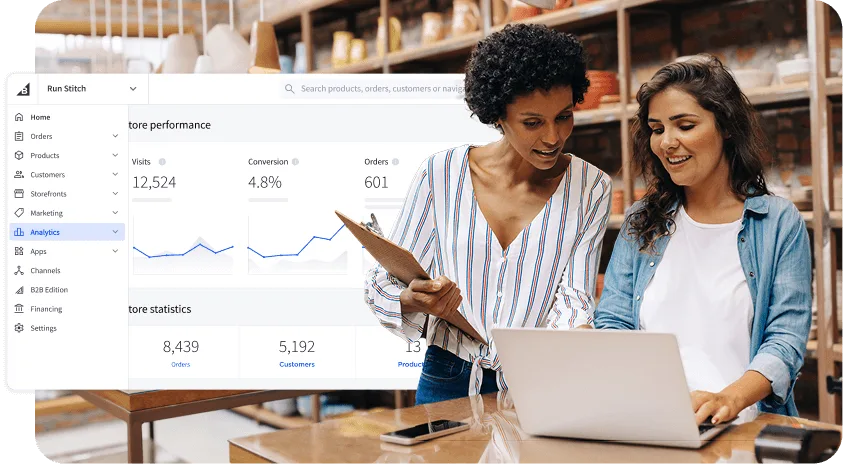
Find your favourite features.
Explore all of the capabilities of the BigCommerce platform.
How much does Facebook advertising cost?
Facebook advertising costs can vary, largely depending on your industry or market, what you’re bidding on, and your audience. But, while ranges can vary, typical cost-per-click costs for traffic-based campaigns is around $0.70.
This number does little good if you’re planning a budget. It’s best to look at industry averages, and then dive into the specifics that impact your Facebook advertising costs.
Average CPC benchmarks by industry (2026).
Advertising costs have quite the range across industries. While you’ll want to set a concrete budget based on your own estimations, looking at industry averages can help you get an idea of what you’re in for.
Take a look at the below industry benchmarks for an idea of the spread:
Arts & Entertainment: $0.49
Automotive sellers: $0.79
Health & Fitness: $0.80
Industrial & Commercial: $0.86
Shopping, Collectibles, & Gifts: $0.34
For the complete list, check out this great breakdown from Wordstream.
Average CPM benchmarks by industry (2026).
Where CPC sees you buying for each click, Cost-per-mille (CPM) is another method, where you pay a static amount for every 1,000 ad views, or impressions.
Just like CPC, CPM varies across industries. Below are a handful to give you an idea of the range:
Apparel & Accessories: $12.27
Automotive: $10.01
Beauty: $18.02
Health & Wellness: $20.70
Electronics: $13.89
Because CPM is based around impressions, they aren’t as suited for direct engagement and leads. But, their lower, more controlled cost can make them great for driving awareness and serve as a more budget-friendly option.
Key factors that affect your Facebook ad costs.
Several factors impact the cost of your Facebook advertising, with some being in your control and others, not so much.
Objective: The type of campaign, whether traffic or conversions etc, impacts cost. Conversion campaigns cost the most as they’re more heavily targeted.
Placement: Where you want the ad to go impacts cost, with Facebook and Instagram Feeds costing more than general sidebar placements and network features.
Industry: In general, industry impacts cost, as some industries are more competitive and costly than others.
The season: Certain times of year are more expensive. For instance, the holiday quarter is more costly than Q2.
Targeting: Generalised targeting is cheaper, whereas highly specific targeting will cost more (but could be more effective).
Early on, don’t be afraid to stick to a general audience. It’ll be cheaper, and it’ll provide valuable metrics you can use to inform future campaigns.
How to set a realistic starting budget.
When budgeting for your Facebook ads, there are a few things you can do to keep costs under control.
But first, if this is your first Facebook advertising campaign, you should opt for a more general testing campaign. Set your goal for awareness, put a locked budget in place, and let it run. Then, see what kind of audience data you get.
With that out of the way, here’s how you can rein in your budget:
Set a daily minimum of $5-20, as this ensures the ad will have enough fuel to yield data.
Stick to a daily budget for testing, as this allows you to pull the plug anytime.
Keep your focus tight at first, with only one or two ads to start.
Don’t scale too quickly during the first week, as this marks the learning phase, where the algorithm determines audience and placement.
As a rule of thumb, if bidding with cost-per-result, Facebook recommends a budget of five times the cost-per-result.
For beginners, Facebook advertising is largely a learning process. Don’t get overzealous, take your time, and learn from every single ad — especially those that crash and burn.
How to write Facebook ad copy that converts
Understanding pricing and whatnot is great, but a Facebook ad is only worthwhile if it converts. Follow these step-by-step tips to create ads that have people praising your brand in no time.
Lead with a strong hook in the first line.
QUICK, BEHIND YOU!
Your ads don’t need to cause paranoia, but they should hook a potential customer immediately. A strong hook right out of the gate is key.
There are a few schools of thought with hooks, each one valid.
Credibility building.
Lead with a stat or credibility check, like calling out the fact that your product just won an award.
The below ad, from ISOCLEAN, is a wonderful example, as it lets customer reviews do the talking.

Again, you want to make sure the claim you’re making is verifiable. Anyone can claim to be the best. Show them why you actually are.
FOMO.
Take the negative route and tap into FOMO, pointing out that every day without your product is another day the competition gets further ahead or your customers are worse off. (This also works great for announcing sales.)
The below ad is a great example, as it drives home a sense of missing out while also highlighting the solution.

It should go without saying that you don’t want to be a total troll and clickbait your readers. There’s a strong line between urging people to act and doomsaying.
Huh? Piquing curiosity.
Pique curiosity by going against the grain, making a bold claim, or asking a question. Is your product capable of doing something no other product can? Does your company feel strongly about something the rest of the industry is doing?
Take the below ad, for example, which asks a big question while laying out common myths versus the truth. (Bonus points for also including Trustpilot social proof.)

Going against the grain or making bold claims can be a ton of fun, especially if your brand has more playful language. Again, make sure you can back up whatever it is you’re saying. (And clear it with legal, please.)
Focus on benefits, not features.
There are a lot of features that make your product unique. Save them for the product page. You need to hook readers in a hurry with ads, and benefits are the way.
While a quick comparison ad can be effective, showing your features vs. a competitor’s, don’t overdo it. Not only will too many details overwhelm someone viewing the ad at a glance, it’ll also look too busy, given limited ad space.
Use social proof.
It’s one thing if you say your product is great (why wouldn’t you?). It’s another if real customers say the same.
Consumers put a lot of stock into reviews, with 42% weighing reviews similarly to personal recommendations. So, why not put them into your Facebook ads?
Circle back to that ISOCLEAN ad above for inspiration, which featured numerous reviews and an overall Trustpilot rating.
If you’re lacking reviews, don’t fret. There are ways you can encourage customers to leave reviews over time.
Include a clear, specific call to action.
It’s possible to have a great Facebook ad without a clear CTA in the graphic, just like some of the previous examples. This is especially true if you’re running general promotions, like showcasing an individual product.
If you’re wanting to direct people to a landing page, however, you should include a CTA that invites the readers to take action while hinting at what it is they’ll get when they click.
Is the ad promoting a free asset? Offering a trial? Inviting people to take advantage of a limited sale?
Match copy to the audience's awareness level.
Keep in mind you can adjust targeting to focus on people at different stages in their journey. Your copy should reflect this, speaking at an appropriate level.
For top of funnel (TOFU) efforts: Speak to general pain points, focus on credibility, and keep things lower pressure overall.
For middle of the funnel (MOFU) efforts: Go a little deeper than the TOFU copy, mentioning any accolades from industry organisations, focusing on specific product features, and calling attention to any outcomes.
For bottom of the funnel (BOFU) efforts: Call out competitor comparisons and where you excel, speak to granular pain points, and keep the tone conversational and authoritative.
When in doubt, refer to your other content. While ads are shorter than landing pages or articles, you’re still speaking to YOUR audience.
How to measure Facebook ad performance
Facebook advertising is only worthwhile if you know it’s working. As luck would have it, there are a number of ways you can measure whether it is or not.
Key metrics to track.
You’re likely tracking numerous ecommerce metrics already. Well, get out your pencil. There are a handful of ad-oriented ones you can add to your list:
Return on ad spend (ROAS): Your ROAS tells you whether you’re getting any return on your ad investment, which is essential if you want to stay in the green.
Cost per click (CPC): As the name implies, CPC is a direct measurement of how much each ad click costs you. Remember that a click doesn’t necessarily result in a conversion.
Click-through rate (CTR): Your CTR tells you the percentage of people clicking your ad after seeing it. If your CTR is low, your ad copy, design, or targeting is likely off.
Cost per mille (CPM): If you’re running awareness campaigns and using a CPM method, you want to keep a close eye on this value. From there, check your ROAS to make sure your CPM is yielding a net positive.
Conversion rate: This measures the rate at which people click the ad and then complete whatever action it is you’re wanting them to do, whether that’s purchase, sign up for a trial, and so on.
Cost per purchase (CPP): Your CPP measures how much you’re spending to get a single purchase after someone views an ad. This is similar to ROAS, but CPP will tell you how cost-effective ads are, whereas ROAS focuses on overall revenue.
Tracking the above might sound like a lot, but with Facebook Ads Manager, it’s fairly straightforward. And, oh, what’s that? The next section covers exactly that.
How to use Ads Manager reporting.
Facebook Ads Manager is your one-stop-shop for your ad account, giving you control and insights for your ads.
One could write an entire article on using Ads Manager, but to help get you started, below are a few places to start:
Creating a new report: The first thing you’ll want to do is create a new report, which gives you the aforementioned KPIs and metrics, while tracking overall performance on one or all of your ad sets.
Utilise Breakdowns: Breakdowns are Facebook’s fancy word for filter, letting you view performance data for individual segments.
Play with layouts: With the layouts section, you can change how the data is presented. This not only lets you view the data how you prefer, but is also great for when you need to present overall performance to stakeholders.
Facebook ad manager is an incredibly powerful tool, so get in there and experiment!
What good performance benchmarks look like in 2026.
The definition of great Facebook advertising performance can vary, especially depending on which industry you’re in. (See: Earlier section on industry performance.)
That being said, there are general industry-agnostic performance benchmarks for late 2025:
ROAS: 1.86
CTR: 2.19%
CPM: $14.19
Conversion rate: 1.6%
Again, while general benchmarks are something to keep an eye on, focus more on your industry to see how you’re stacking up.
When to scale vs. pause a campaign.
The opening days of a Facebook ad campaign are often horrifying, as the algorithm is learning, performance is sporadic, and nothing feels consistent.
This begs the question: When do you scale or pause a campaign?
Scale: Consistency is key when scaling. If your campaign is hitting your goals or providing a positive ROAS for several days in a row, consider scaling.
Pause: Conversely, if your ads aren’t meeting expectations, are low in conversions but high in clicks, or you’re going through your budget too quickly, pump the brakes. But, don’t pause for more than one day, as the learning process of the algorithm will restart.
Don’t forget: Your first few ad campaigns are largely a learning process. Even if a campaign fails, it’s not a total loss as long as you learn from it.
Common Facebook advertising mistakes to avoid
Facebook ads aren’t without their pitfalls. There are a number of mistakes to look out for, especially as you begin your advertising journey for the first time.
Targeting too broadly or too narrowly.
An audience that’s too broad will result in a budget that burns up in the blink of an eye, and countless clicks and leads that are nowhere near vetted. Meanwhile, targeting that’s too narrow will keep you from getting, well, anyone.
Experiment, adjusting your audience in either direction to find a sweet spot. Don’t forget that BOFU efforts will often have a smaller audience pool than TOFU efforts.
Interfering with the learning phase.
You never want to “set and forget” an ad. That being said, you kind of want to do exactly that during the algorithm’s seven-day learning phase.
During the learning phase, ad performance will be all over the place. Avoid making any adjustments, as this can reset or delay the full learning phase, halting further performance.
Using the same creative for too long (ad fatigue).
As tempting as it can be when an ad does well, don’t let the creative overstay its welcome. If people see the same ad for too long, they’re likely to stop noticing it. Much like the stack of mail you promised to get to months ago.
Even if an ad is doing well, don’t let it go for more than several weeks. Pull it, run another, and get that ad back out into the wild at a later date.
Not installing the pixel or Conversions API.
It’s exciting to start an ad campaign, but don’t let this excitement compel you to make a false start. Get your tracking setup before you run anything. ANYTHING.
Sending traffic to a slow or non-mobile-optimised landing page.
Before an ad goes live, make sure the destination page is optimised for mobile devices and loads quickly and consistently.
The last thing you want is for people to click the ad, only to be met with a page that never loads or displays poorly on their phone. The user will bounce and your brand’s reputation will be tarnished.
Setting unrealistic budgets for conversion campaigns.
Conversion campaigns can be spendy, and your budget has to be just right.
If your daily budget is too high, the algorithm will likely burn through it to find you leads most likely to meet your conversion goal, resulting in your overall budget running out.
If your daily budget is too low, you’re going to have poor results, no conversions, and your campaign will fail to take off.
You want to focus on 50 conversions for the week, as this will help the algorithm complete its learning phase. From there, fine tune your budget to find the right balance.
The final word
As an ecommerce business, Facebook can be a truly colossal advertising platform. With the right, calculated approach, you can find your audience, drive sales, and slowly scale both your ad efforts and your. brand as a whole.
Embrace early failures, note what went wrong and what went great, and you’ll soon find your ad campaigns are each more successful than the last.
Where advertising can offer fairly quick wins, marketing can provide a lower cost, ongoing stream of leads. But, it takes time. While you’re mastering Facebook advertising, begin your Facebook marketing efforts, opening the door to potentially reducing ad spend over time.
Learn how you can improve your Facebook marketing today.
FAQs for Facebook Advertising.
There’s no hard and fast number, but typically you want to spend 3-5x your cost per acquisition (CPA), or a daily budget of $10-20. The first week is most important, as the advertising algorithm is completing its learning process and needs enough budget to continue during that time.
Facebook ads are absolutely worthwhile for small businesses, as Facebook offers a large platform with a wide reach and diverse audience, giving businesses a chance to target almost any audience.
While Facebook advertising is great for small businesses, it’s important to be mindful of budget and ensure ad spend doesn’t get too high.
While a 2-4x ROAS for Facebook ads is considered great, you at least want to ensure you’re breaking even with your spend.
Because the algorithm has to learn for the first week, it typically takes closer to two weeks before you’ll see Facebook ads working properly.
The Facebook Pixel is javascript used for tracking visitors from Facebook ads who visit your site, and is highly necessary.
But, the Facebook Pixel has largely been replaced by the Conversions API, which is considered superior and recommended by most experts.
If you have a Facebook Business page, you can run Facebook ads without a website.
Running Facebook ads without a website allows you to channel traffic directly to your other Meta profiles or pages, which can be useful for garnering a following, or selling directly from your page.
Some common mistakes when creating Facebook ads include targeting too broad of an audience, failing to use eye-catching visuals, writing unclear or irrelevant ad copy, neglecting to include a strong call-to-action, and not split testing different ad variations.
Other pitfalls are overlooking the importance of mobile-friendly ads, directing users to a poorly designed landing page, and setting a budget that's too low to achieve the desired results. To create effective Facebook ads, it's crucial to define your target audience, craft compelling content, and continuously monitor and optimise your campaigns based on performance data.
Boosting a post is a simplified way to increase the visibility of an existing post on your Facebook page by paying to show it to a larger audience. On the other hand, creating a Facebook ad through the Ads Manager provides more advanced targeting options, allowing you to reach specific demographics, interests, and behaviours. Facebook ads also offer more customisation options for ad format, placement, and objectives, giving you greater control over your advertising campaign and its desired outcomes.
Facebook's advertising network extends beyond its own platform and includes Instagram, Messenger, and the Audience Network, which is a collection of third-party apps and websites partnered with Facebook. When creating an ad campaign, you can choose to have your ads displayed on any combination of these platforms, depending on your target audience and advertising goals.
This allows you to reach a wider audience and expand your brand's visibility across multiple channels while still managing your ads through a single, centralised platform.
If you’re a business looking to gain success in the online marketplace, then the answer will most likely be yes.
With the help of tools like Facebook Ad Manager, and the myriad of methods that Facebook has for implementing, tracking and optimising ad performance, it has never been easier to understand and excel at advertising.
According to Facebook’s Advertising Policies, the kinds of products or services that aren’t allowed fall under the usual umbrella —the promotion of illegal, violent or discriminatory content.
However, the prohibited content does include content that may surprise. When looking to implement Facebook Advertising in your business, review the policies in place to ensure that your business will access its benefits.
Ebook: Win Customers Across Every Channel
Get expert insights on data, branding, and marketing strategies to grow sales on every major ecommerce channel.